Shopping list
Turn the week's recipes into one shopping list
Read on and you'll have a way to walk into the store with one list for the whole week: every ingredient from every planned recipe, repeated items added up into one line when the units match, what's already at home left off, and everything sorted into aisle sections. You'll also see exactly where the list stops being clever, and the habit that ends the third jar of garlic for good.
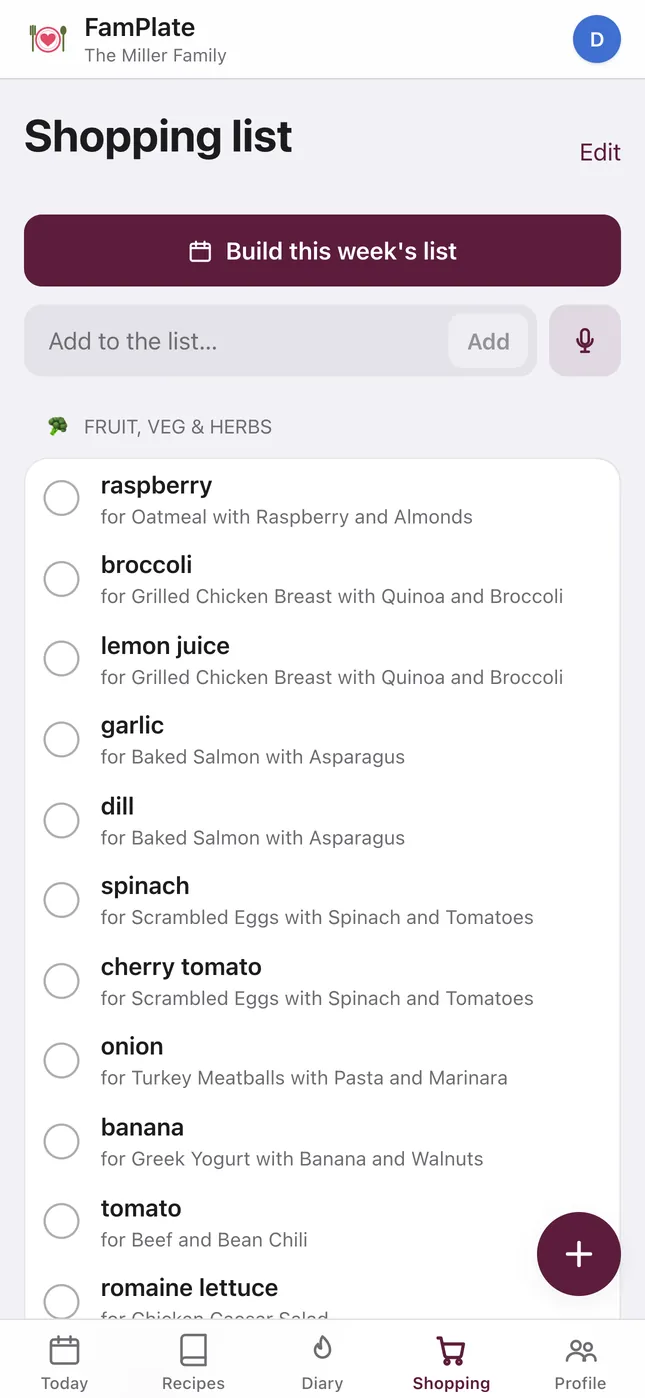
From plan to list in four steps
-
Plan the week
Put recipes from your family book into breakfast, lunch and dinner, or let the AI weekly menu planner fill the empty slots.
-
Tap “Build this week's list”
FamPlate gathers every ingredient from every planned dish into one list. You can also send a single recipe's ingredients with To list.
-
Let the pantry do the checking
Anything you've marked as already at home is left off. Add anything else you need by typing it, or by voice — you can say several items in one go.
-
Share it and shop
Everyone in the family sees the same list. Send it to WhatsApp, Telegram or another app from your phone's share menu, and tick items off as you go.
Duplicates merged into one line
If three dinners need onions, you don't want three onion lines. FamPlate merges the same ingredient into one line and adds up the quantities when the units are compatible — grams with kilograms, milliliters with liters.
It's careful about what it can't know. Spoons, cups and pieces aren't converted into each other or into grams, because FamPlate won't guess what a cup of flour weighs. And every line still shows which dish it's for, so you know why it's on the list and can skip it if that dinner changes.
Skip what is already in the cupboard
FamPlate keeps a pantry: the things “in my kitchen”. When it builds the list, anything already there is left off. When you clear the items you've bought, FamPlate can move them into the pantry, so next week's list knows they're at home.
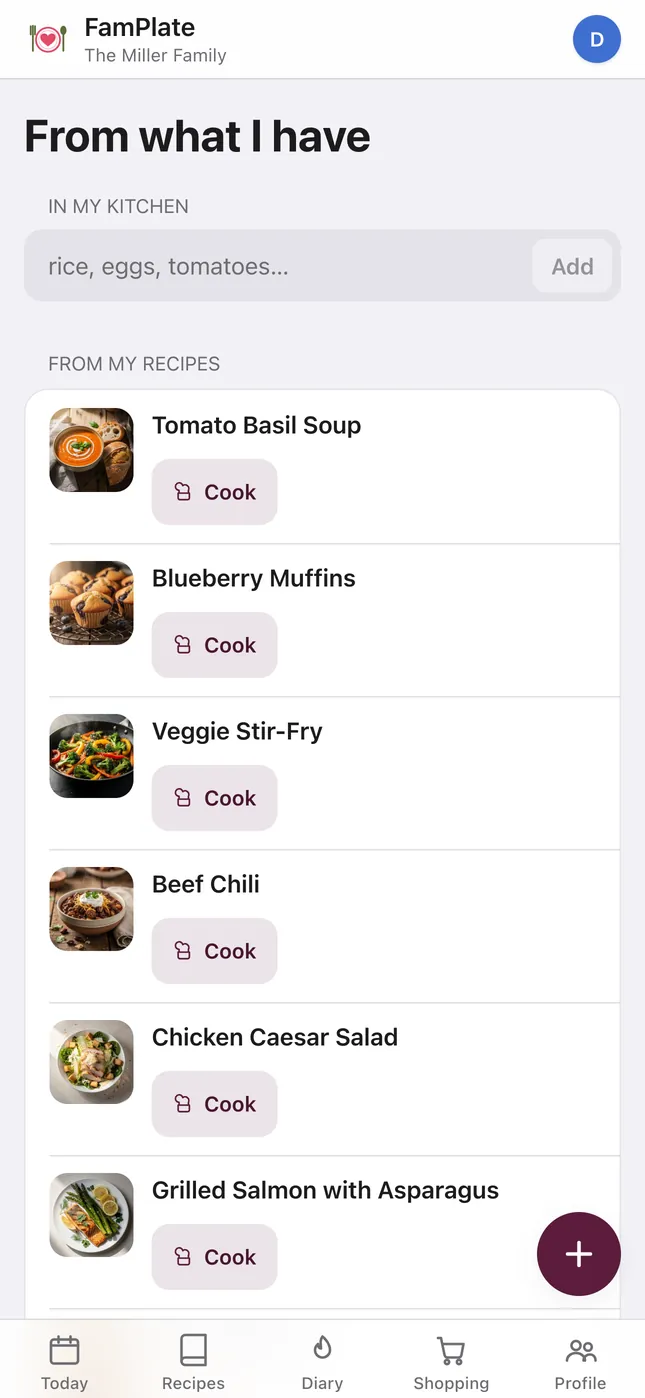
The same pantry powers Cook with what I have. It shows recipes you can make tonight, ones that are only a few items short — with a button to add the missing ones to the list — and matches from your own recipes.
Sorted into aisle sections
The list is grouped into eight sections, so you go through the store once instead of zig-zagging back for the parsley:
- Fruit, veg & herbs
- Spices & seasoning
- Dairy & cheese
- Meat & poultry
- Fish & seafood
- Grocery
- Frozen
- Other
Units, and what's free
Recipes and lists use metric units plus kitchen measures: g, kg, ml, l, pieces, tbsp, tsp, cup, pinch, bunch, clove and “to taste”. Ounces and pounds are not supported for recipes or lists.
Building the list from your plan, adding items by hand and keeping a pantry are free with no monthly limit. Adding items by voice is limited to 10 a month on the free plan; FamPlate+ removes that limit for the whole family, from €4.99 a month.
The habit that ends the third jar of garlic
Most doubled-up groceries are things you had but didn't check. So before you leave for the store, open the cupboard and the fridge — or take a photo of the shelves on your way out. It works tonight, with any list on any phone.
In FamPlate, the pantry does that checking for you once you've marked what's at home, and the items you buy can go straight back into it.
Questions
Does the shopping list sync in real time?
No. Everyone in the family sees the same list, but changes aren't pushed live: reopen or refresh the list to see what someone else ticked off or added.
Can I add things that aren't in a recipe?
Yes. Type anything into the list, or add items by voice and say several at once. Typed items have no limit; voice adds are 10 a month on the free plan.
Can I send the list to someone who doesn't use FamPlate?
Yes. The share button opens your phone's share menu, so you can send the list to WhatsApp, Telegram or any other app.
Can it order the groceries for me?
No. FamPlate doesn't connect to grocery delivery or online stores. It gives you a merged, aisle-sorted list to shop from or to copy into your store's app.
Does it use ounces and pounds?
No. Recipes and lists use metric units plus cups, spoons and pieces. Imperial units are only used for height and weight in your profile.
Is the shopping list free?
Yes. Building the list from your plan, adding items by hand, the aisle sections and the pantry are all free. Only voice adds have a monthly limit on the free plan.
Does it work in a browser?
Yes. The website is the full FamPlate app, so you can plan and build the list on a computer and tick it off on your phone. Apps are available for iPhone, iPad and Android.
Build your first week and its list
Get FamPlate free on the App Store or Google Play, or open it in your browser and start as a guest. Plan three dinners, tap “Build this week’s list”, and see what you no longer have to write down.